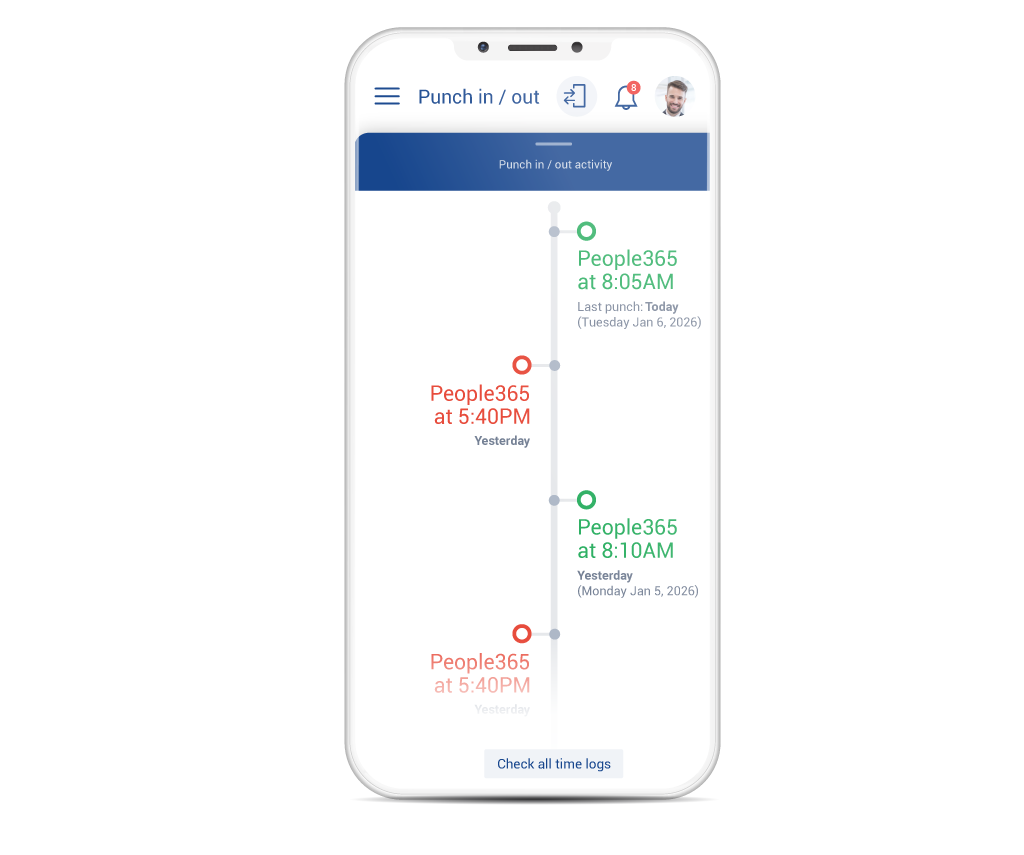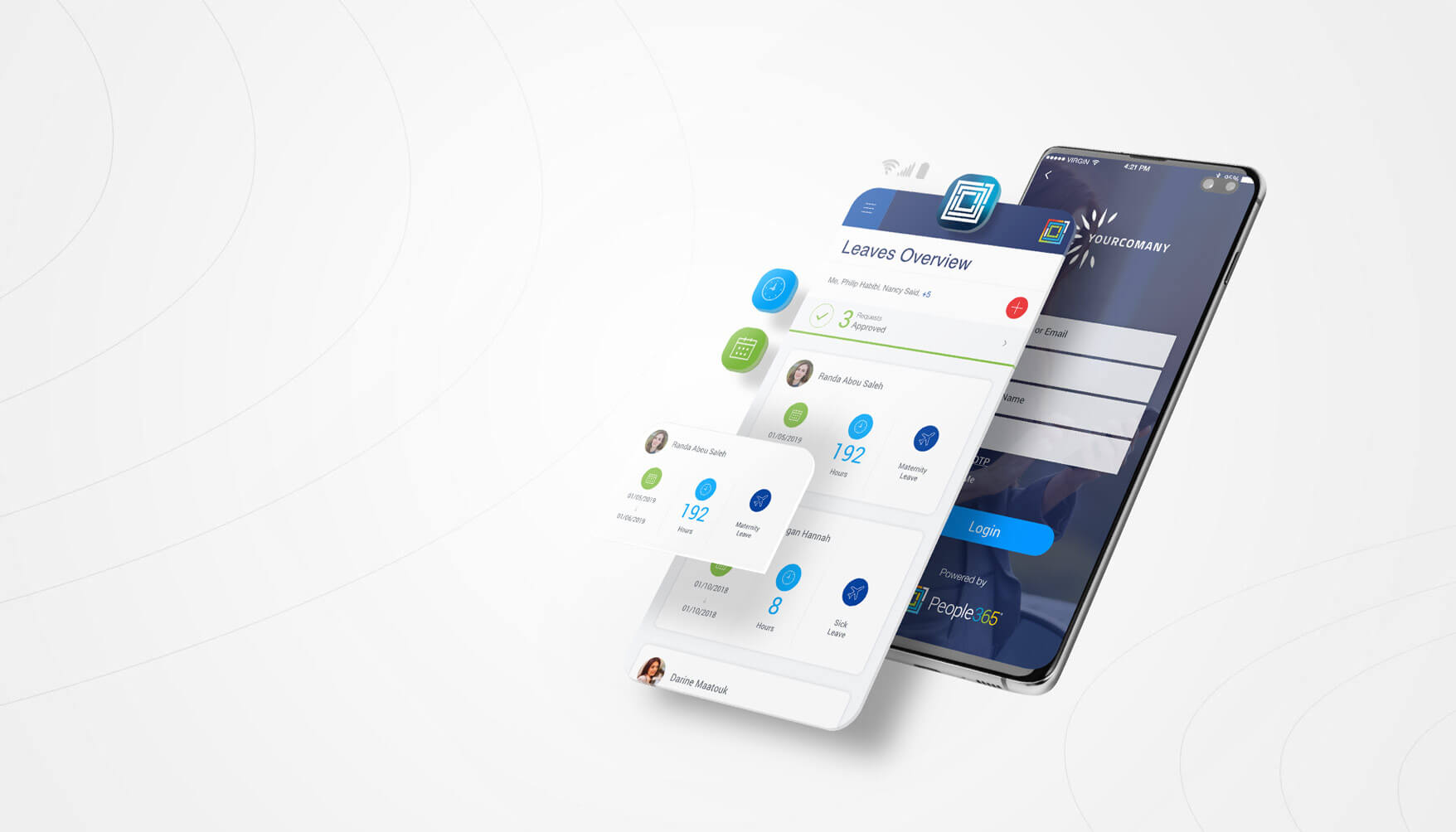


Clock in instantly with People365 Mobility App.

Mobility Solution

Empower employees on the go with People365’s intuitive web and mobile interface.

Mobility Solution

Real-time workforce tracking, anytime and anywhere
with People365.
People365 Time attendance tracking Employee management software

Enhance internal communication and employee engagement by giving managers and staff real-time access to information, enabling HR leaders to focus on strategic business goals.

Mobility Solution Highlights

Real Time
Request

Give employees real-time access to schedules and leave details, enabling them to track attendance, submit requests anytime, and follow up on queries easily.

Team
Overview

Maximize managerial efficiency with a unified dashboard that centralizes all request-related information, enabling managers to make faster, data-driven decisions.

Human Resources Management

Support HR teams in driving organizational growth by reducing the burden of employee queries, freeing managers to focus on strategic HR planning.

Streamlined
Communication

Enhance organizational communication by boosting employee engagement and improving data collection, processing, and analysis.

Web
Application

The mobile application is fully compatible with all web browsers and responsive across all screen sizes, ensuring seamless access anytime, anywhere.

Mobile Application:
iOS & Android

People365 Mobility Application is available for download on both the App Store and Google Play, ensuring easy access for all users.

Simple & Easy
to use

The Mobility app boosts user engagement and adoption with its intuitive, user-centric design, delivering a simple and familiar experience.

Clock in Anytime, Anywhere
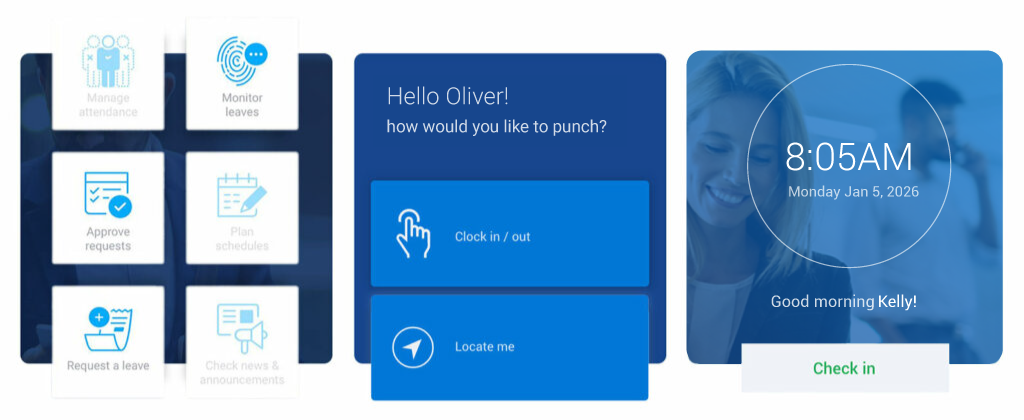
People365 Mobility App offers various clock-in types for reliable time management.
people365 Employee check-in

The Right Solution for Your Business

Clock-In Tools Designed for All Workplaces

Mobile Clock-In

Remote clock-in for work-from-home employees.

Geolocation Clock-In

Clock in from predefined geo-locations.

Wi-Fi Clock-In

Clock in securely via office wi-fi connection.

QR Code Clock-In

Clock in by scanning a QR code on any tablet or mobile device.

Web Clock-In

Clock in on the web and link it to your active directory login.

Mobile Clock-in

Optimize Attendance for Remote Work

People365 Mobile Clock-In enables remote employees to mark their availability effortlessly, providing a user-friendly experience with Arabic support and Hijri calendar features.

Geolocation Clock-in

People365 Mobility App allows employees to clock in conveniently via their personal phones, while geolocation ensures accurate and controlled time tracking.

Accurate Geolocation for Offices and Project Sites:

Manage multiple sites seamlessly by defining locations with Google Maps latitude and longitude, names, addresses, and a customizable radius for accurate location targeting.

Geolocation-Based Clock-In for Reliable Attendance:

Accurate time tracking is guaranteed with the Mobility app, which uses mobile location services to match employees to the nearest site and restricts clock-in outside the set radius.

Streamlined Clock-in Process:

  1. User identification via App
  2. Employee photo capture
  3. Verification of clock-In permission for designated location
  4. Clock-In time registration
  5. Clock-In validation based on schedule and policies

Note: The application only tracks user locations while actively in use. Users can enable location services during app usage. When ‘Locate Me’ is selected, the app uses the phone’s GPS and mobile network to pinpoint the location on the map, after which location tracking is automatically disabled for privacy and security.

Attendance History:

Employees can easily access and review their clock-in and clock-out records, including time and location details. All entries are stored indefinitely, allowing continuous access to attendance history whenever needed.

QR Code Clock-in

Easy QR Clock-in:

Allow employees to clock in effortlessly using a touchless QR code scan from any tablet or mobile device. Each entry is automatically recorded with the device name, enabling clock-ins across multiple departments. Stay informed with detailed data on clock-in time, location, and employee availability.

Step 1:

Easily configure each tablet with a unique name and location settings, while specifying authorized employees for clock-in.

Step 2:

Scan a QR code on the tablet to instantly capture the tablet’s name and location, with employee attendance recorded automatically.

Step 3:

The tablet automatically generates a new QR code for the next employee, enabling seamless and continuous clock-ins.

Learn more about the full functionalities and capabilities of the Mobility Solution and App.

These clock-in solutions are available as an all-in-one package

Contact us today to take advantage of People365 Mobility App clock-in bundles. Our dedicated team will guide you through this offer and demonstrate how People365 Human Capital Management solution can boost your business performance.

Request a Demo

Discover how People365 HCM solutions can elevate your HR processes!